
Imagine getting ready for a welding session and noticing that your auto-darkening solar welding helmet responds slowly, the lens is dim, or it shuts off unexpectedly. This can interfere with your work and even compromise eye protection.
Solar welding helmets combine auto-darkening lens technology with solar-powered or hybrid battery systems, which means they rely on sufficient energy to function correctly. Charging or exposing the helmet to sunlight ensures that the LCD lens, sensors, and electronics operate efficiently, protecting your eyes from sparks, UV, and IR radiation.
Many welders ask: “How long should I charge my solar welding helmet to ensure full performance?” The answer depends on battery type, sunlight intensity, prior charge level, and environmental conditions.
In this guide, we’ll cover how solar welding helmets work, signs they need charging, factors affecting charging time, step-by-step instructions, and tips to extend battery life. By following these instructions, your helmet will be ready for safe and reliable use on every welding task.
How Solar Welding Helmets Work
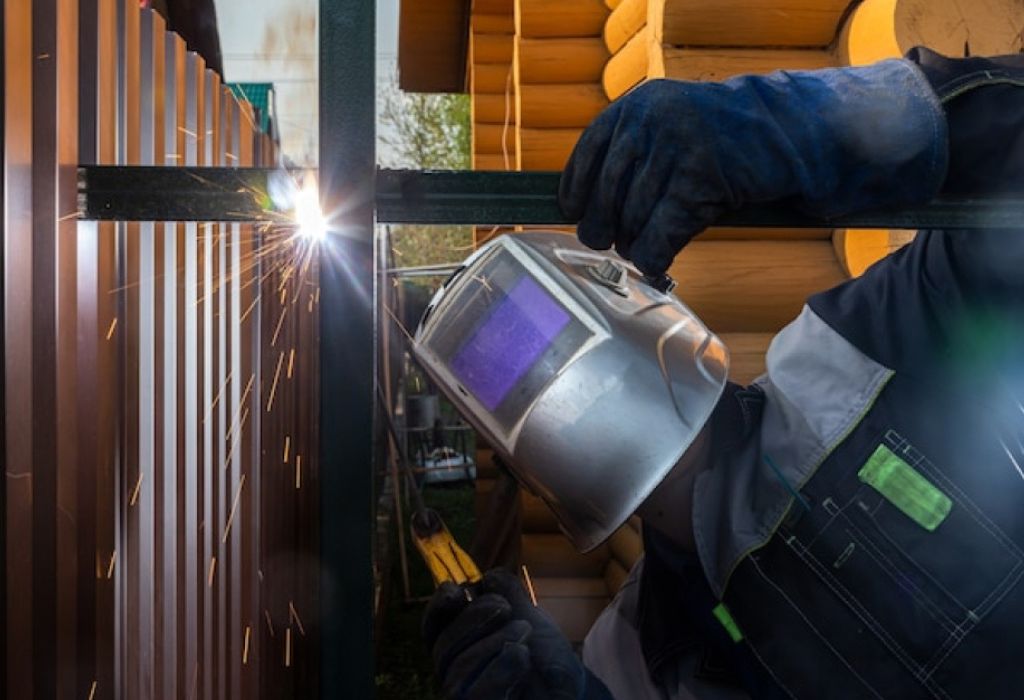
Solar welding helmets combine auto-darkening lens technology with solar or hybrid battery systems to provide protection and convenience during welding. Understanding how these helmets work helps you maintain proper charging and ensure reliable performance.
1. Auto-Darkening Lens Technology:
- The lens automatically adjusts its shade in response to welding arc intensity.
- Sensors detect the brightness of the arc, triggering the liquid crystal display (LCD) lens to darken instantly.
- Proper power supply is critical; low battery or insufficient solar charge can delay response or reduce protection.
2. Solar Cells and Rechargeable Batteries:
- Solar panels on the front of the helmet capture ambient light to charge the internal battery.
- Most helmets include hybrid systems, using solar power as the primary source and rechargeable batteries as a backup.
- This design allows for longer operational time without frequent manual charging.
3. Sensors and Electronics:
- Arc sensors, electronics, and the LCD lens all depend on adequate energy.
- A partially charged battery or weak solar exposure can cause slower lens darkening, flickering, or temporary failure.
By understanding these components, you can appreciate why correct charging and exposure to sunlight are essential for consistent and safe operation of your solar welding helmet.
Signs Your Solar Welding Helmet Needs Charging
Knowing when your helmet needs a charge is crucial for both safety and performance. Low power can compromise the auto-darkening function and leave your eyes exposed. Look out for the following signs:
- Dim Lens or Reduced Visibility: The lens may appear faint or fail to darken fully when welding.
- Slow Auto-Darkening Response: Sensors take longer to activate, potentially exposing your eyes to bright arc light.
- Warning Lights or Battery Indicators: Many helmets include LEDs or display signals showing low battery.
- Unexpected Shut-Off: The helmet may turn off during use, interrupting work and reducing protection.
- Inconsistent Protection: Flickering or uneven lens shading can indicate insufficient charge or failing batteries.
Recognizing these signs early ensures your helmet remains fully functional and protective. Charging the helmet at the right time prevents potential eye hazards and maintains consistent welding performance.
Factors Affecting Charging Time
The time it takes to fully charge a solar welding helmet depends on several factors. Understanding these helps you plan your welding sessions and ensures the helmet is ready when needed:
1. Battery Capacity and Type:
- Helmets with larger lithium-ion batteries take longer to charge fully than smaller batteries.
- Some helmets include NiMH or hybrid batteries, which may require more time depending on prior discharge level.
2. Solar Panel Efficiency:
- The intensity, angle, and duration of sunlight directly affect charging speed.
- Indoors or cloudy conditions significantly reduce solar charging efficiency.
- Keeping solar panels clean and free of dust or debris maximizes power absorption.
3. Helmet Usage:
- Frequent welding sessions drain the battery faster, requiring more frequent charging.
- Helmets left in standby mode for extended periods may still slowly discharge, affecting the next charge cycle.
4. Environmental Conditions:
- Temperature affects battery performance: very cold or hot conditions can slow charging or reduce capacity.
- Ideal charging occurs in moderate, ambient temperatures with good sunlight exposure for solar charging.
By understanding these factors, welders can estimate charging time accurately and avoid running out of battery mid-task.
Step-by-Step Guide to Charging a Solar Welding Helmet
Charging a solar welding helmet properly ensures maximum battery life and reliable auto-darkening performance. Follow these steps:
Step 1: Identify Your Helmet’s Battery Type
- Confirm if your helmet uses solar-only, hybrid, or rechargeable batteries.
- Use only the manufacturer-recommended charging method to prevent damage.
Step 2: Prepare the Helmet
- Place the helmet in a clean, well-lit area for solar charging, or near the USB/wall adapter if using external power.
- Ensure the solar panels are exposed and unobstructed for maximum efficiency.
Step 3: Connect the Charger (if applicable)
- For USB or wall adapters, plug the charger into the helmet’s charging port securely.
- For solar charging, position the helmet in direct sunlight, ideally facing the light source.
Step 4: Monitor Charging Indicators
- Most helmets feature LEDs or digital indicators to show charging progress.
- Green or full indicator means the battery is fully charged.
Step 5: Charging Duration
- Solar charging in full sunlight typically takes 1–4 hours for a full charge.
- USB or wall charging usually requires 2–4 hours, depending on battery size and previous charge level.
- Avoid leaving the helmet connected beyond full charge to prevent overcharging.
Step 6: Test the Helmet
- After charging, turn on the helmet and verify that the auto-darkening lens responds quickly to light.
- Check that sensors, shade settings, and display (if applicable) are functioning correctly.
Step 7: Routine Maintenance
- Clean solar panels regularly to maximize charging efficiency.
- Store the helmet in a cool, dry place when not in use to prevent battery degradation.
- Monitor battery performance and recharge as needed based on usage.
Following these steps ensures that your solar welding helmet remains fully powered, responsive, and safe for every welding session.
How Long to Charge a Solar Welding Helmet
The exact charging time depends on battery type, sunlight availability, and prior charge level:
- Full Sunlight Solar Charging: Most helmets fully charge in 1–4 hours when exposed to direct sunlight.
- Partial Sunlight or Indoor Solar Exposure: Charging may take longer; 4–6 hours or more may be required.
- USB or Wall Adapter Charging: Typically 2–4 hours, depending on battery capacity and charge level.
- Hybrid Helmets: Combine solar and battery; full solar charge plus USB top-up may be necessary for consistent performance.
Tips:
- Avoid overcharging to prevent battery wear.
- Partial charges are fine; you don’t need to always wait for 100% if the helmet is still responsive.
- Regular monitoring ensures the helmet is always ready for use and avoids unexpected lens delays.
Tips to Extend Battery Life
Maintaining your solar welding helmet properly extends battery life and ensures consistent auto-darkening performance:
- Avoid Deep Discharges: Recharge before the battery is fully drained.
- Store Properly: Keep the helmet in a cool, dry place away from direct sunlight or extreme heat.
- Clean Solar Panels: Dust or debris on panels reduces solar charging efficiency.
- Test Sensors Regularly: Ensure auto-darkening response is fast and accurate.
- Use Hybrid Charging Wisely: Combine solar and USB charging to maintain battery health over time.
Following these tips helps maximize battery lifespan and keeps your helmet ready for frequent or extended welding sessions.
Common Mistakes to Avoid
- Charging in Insufficient Light: Solar panels require adequate sunlight; indoor or shaded areas drastically slow charging.
- Overcharging: Leaving the helmet connected for too long can shorten battery life.
- Using Incompatible Chargers: Only use chargers recommended by the manufacturer.
- Ignoring Battery Indicators: Waiting until the lens is dim or slow reduces protection.
- Neglecting Solar Panel Maintenance: Dirty or scratched panels decrease charging efficiency.
Avoiding these mistakes ensures reliable performance, safety, and longer battery life.
Frequently Asked Questions (FAQs)
How long should I charge my solar welding helmet?
- Full sunlight: 1–4 hours.
- USB/wall charging: 2–4 hours, depending on battery size.
Can I charge my helmet indoors with low light?
- Charging indoors with low light is inefficient; use USB or wall adapter for reliable charging.
Is it safe to leave the helmet in direct sunlight for too long?
- Direct sunlight is fine for charging, but prolonged heat exposure can degrade the battery or helmet components.
How do I know if my helmet is fully charged?
- Check the LED or digital indicator; most helmets show green or “full” when ready.
Can partial sunlight charge the helmet?
- Yes, but charging will take longer; efficiency is highest with direct sunlight.
Does frequent charging harm the battery?
- No, modern lithium-ion or hybrid batteries handle regular charging well. Avoid overcharging to preserve lifespan.
Can I use a different brand charger?
- No. Using a non-compatible charger may damage the battery or electronics.
How often should I charge the helmet during heavy use?
- Recharge whenever the lens darkening slows or the indicator shows low battery, typically daily for heavy use.
Do auto-darkening sensors affect charging time?
- Minimal impact; the sensors draw small amounts of power, but overall charge time depends on battery and sunlight.
Can I store the helmet with a partial charge?
- Yes. Partial charge is safe and can be topped up before use.
Conclusion: Keep Your Solar Welding Helmet Fully Powered and Safe
Charging your solar welding helmet properly is essential for safety, performance, and battery longevity. Understanding the battery type, solar panel efficiency, and manufacturer guidelines ensures your helmet is always ready to provide instant auto-darkening protection.
Key Takeaways:
- Charge in full sunlight for 1–4 hours or use USB/wall adapter as recommended.
- Monitor battery indicators to prevent low power during welding.
- Clean solar panels and maintain batteries to extend lifespan.
- Avoid overcharging or using incompatible chargers.
- Check sensors and lens performance after charging for reliable protection.
By following these steps, your solar welding helmet will remain fully powered, responsive, and safe, allowing you to focus on welding with confidence and precision every time

I’m Darrell Julian, the founder, lead writer, and hands-on welding enthusiast behind ArcWeldingPro.com. With more than 15 years of real-world welding experience, I created this platform to share what I’ve learned in the field, in the shop, and in the heat of the arc.