Picture this: you’re mid-weld on a critical project, sparks flying, but suddenly you notice your Snap‑on welding helmet lens is scratched, fogged, or damaged. The view through the lens is blurry, making it hard to see the arc clearly and putting your eyes at risk.
Many welders postpone lens replacement until visibility is severely compromised, not realizing the danger of continued use. A scratched or worn lens reduces UV and IR protection, increases eye fatigue, and can even cause permanent damage over time.
Welding requires precision, safety, and clear visibility, and the lens is a critical part of your protective gear. Without a properly functioning lens, even experienced welders can make mistakes or risk injury.
This guide will walk you through identifying the correct replacement lens for your Snap‑on helmet, preparing the helmet for replacement, removing the old lens safely, installing the new one, and performing proper testing and maintenance.
Whether you own a fixed-shade or auto-darkening Snap‑on helmet, these step-by-step instructions will help you restore clarity and protection efficiently. With the right knowledge, you can replace your lens yourself without professional help, saving time and cost.
By the end of this article, you’ll understand the importance of proper lens replacement, how to do it safely, and how to maintain your helmet for long-term durability and optimal performance.
Section 1: Identify the Correct Replacement Lens
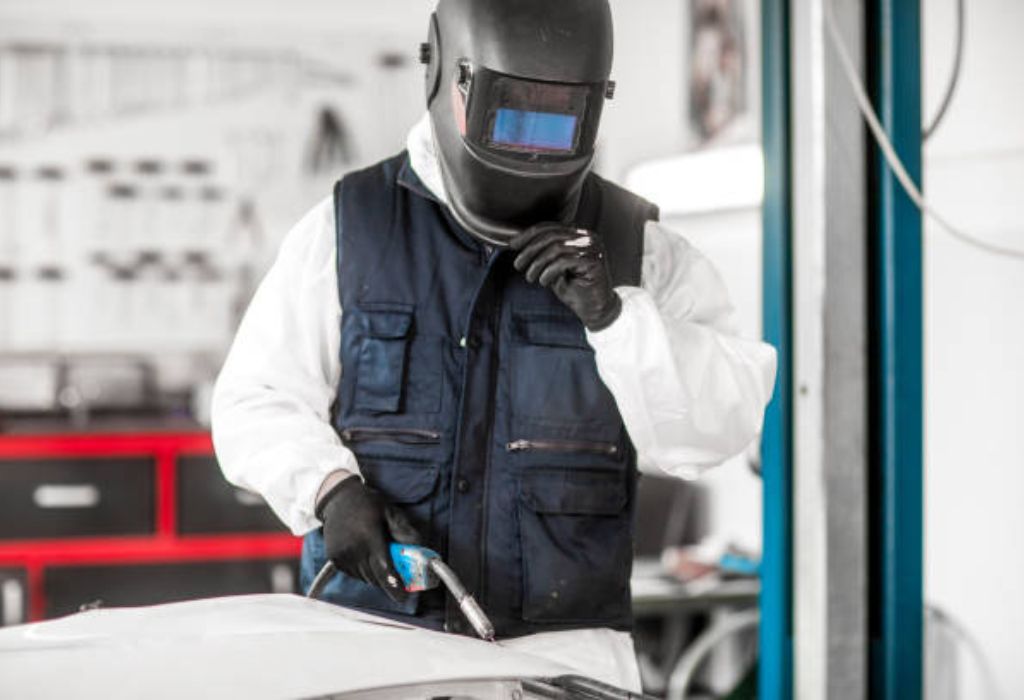
The first step in replacing your Snap‑on welding helmet lens is identifying the correct part. Different Snap‑on helmet models require specific lenses, which vary in size, shade, and type.
Check your existing lens for part numbers or markings, usually found on the edge of the lens or inside the helmet frame. Knowing the model ensures you purchase a compatible replacement lens.
Consider whether your helmet is auto-darkening or fixed-shade. Auto-darkening helmets have specialized filters that adjust shade automatically and require compatible lenses.
Determine whether you are replacing the outer protective cover lens or the main filter lens. The cover protects the filter from spatter, while the main lens provides UV and IR protection. Replacing the wrong lens can compromise safety.
Some welders also upgrade their lenses to a different shade for improved visibility or higher amperage welding. Ensure any replacement lens matches the recommended shade for your welding tasks.
Confirming the correct lens before purchase avoids errors, reduces wasted time, and ensures the helmet functions properly immediately after replacement. Taking this preparatory step protects both your eyes and your project quality.
Section 2: Tools and Preparation
Gathering the right tools makes lens replacement safe and efficient. Common tools include a small screwdriver or Torx driver, clean lint-free cloths, gloves, and the replacement lens.
For auto-darkening helmets, remove the battery or disconnect power before starting. This prevents accidental activation of the arc sensor or damage to electronics.
Clean the helmet around the viewing window before removing the lens. Removing dust, spatter, or debris ensures the new lens sits flush and avoids scratches.
Choose a stable, well-lit workspace to prevent dropping small parts or misaligning the lens. A countertop or workbench with a soft mat works well.
Check the new lens for shipping damage, scratches, or defects before installation. Even a minor flaw can reduce protection and compromise visibility.
Finally, review the helmet’s instruction manual for any model-specific steps. Some Snap‑on helmets have unique clip systems or mounting mechanisms that must be handled correctly.
Section 3: Removing the Old Lens
Start by opening the helmet’s lens housing or flip-up cover. Handle carefully to prevent cracking the helmet shell.
If screws are used to secure the lens, loosen them evenly, keeping them in a small container to avoid loss. Some models use snap-in tabs instead, which can be gently pried apart.
Carefully lift out the old lens, especially if it’s cracked or chipped. Wear gloves to avoid injury from sharp edges or broken plastic.
Remove any old sealant or gaskets from the frame. Residual material can prevent the new lens from seating properly, causing light leaks or poor fit.
Inspect the lens frame and mounting clips for wear or damage. Bent clips or misaligned frames can compromise safety and stability of the new lens.
Dispose of the old lens safely, especially if it is cracked or broken. A damaged lens poses risk of cuts or debris inside the helmet if handled carelessly.
Section 4: Installing the New Lens
Place the new lens in the correct orientation. For auto-darkening lenses, ensure the arc-sensing side faces outward; the shade side should face the welder’s eyes.
If your helmet uses screws, tighten them evenly but avoid over-torquing. Over-tightening can crack the lens or warp the frame, leading to leaks or misalignment.
For snap-in tabs, gently press the lens into the frame until it clicks securely. Ensure all edges are flush to avoid gaps that allow light or spatter through.
Install any outer protective lens or cover if your helmet has one. This shields the main filter lens from spatter and extends its life.
Reconnect power or battery for auto-darkening helmets, and reset any settings like sensitivity, delay, or shade level. Test the electronics to verify functionality before welding.
Check that the lens and housing are secure, and that the helmet moves freely without the lens shifting. A loose lens can be dangerous during welding or when flipping the helmet up.
Section 5: Testing and Adjustment
Before welding, look through the lens in ambient light. Ensure visibility is clear, with no distortion, scratches, or halos.
Test auto-darkening lenses by simulating an arc or using the helmet’s test feature. Ensure the lens darkens consistently across the entire viewing area.
Check for light leaks around the edges of the lens. Even minor gaps can allow harmful UV or IR light to reach your eyes.
Verify that the shade matches your welding process. Higher amperage tasks require darker shades for eye protection, while lower amperage or grinding tasks may need lighter shades.
Adjust headgear and helmet fit to ensure comfort and proper lens alignment. Misalignment can reduce field of vision and strain the neck during long welding sessions.
Perform a final inspection after testing, noting the lens replacement date for future reference. Keeping a record helps track when the lens or protective cover may need replacement.
Section 6: Maintenance Tips for Longevity

Clean lenses regularly with soft cloths and manufacturer-approved solutions. Avoid abrasive cleaners that can scratch the surface or damage coatings.
Replace outer protective lenses promptly when scratched. Though not the main filter, scratches on the cover can affect clarity and reduce protection efficiency.
Check helmet shell, headgear, and mounting clips for wear or damage. Structural issues can cause lens misalignment and compromise safety.
Avoid leaving the helmet in direct sunlight or near extreme heat. UV exposure and heat can degrade lens coatings over time.
Follow manufacturer guidance for lens replacement intervals. Frequent heavy welding may require more frequent replacements to maintain optimal protection.
Keep spare lenses on hand for quick replacement, especially for professional welders who cannot afford downtime. Preparedness ensures safety and productivity.
Frequently Asked Questions
How often should I replace the lens in a Snap‑on welding helmet?
Replace whenever the lens is scratched, damaged, or fogged. Heavy use may require replacement annually or after several hundred hours.
Can I use aftermarket lenses in my Snap‑on helmet?
Only use lenses compatible with your specific model and shade rating to maintain safety and proper fit.
What happens if the lens is installed backward?
Protection may be compromised; the shade side could face outward, reducing UV/IR blocking, and mounting tabs may misalign.
Is replacing just the outer protective cover sufficient?
Only if the main lens is undamaged. Otherwise, replace the main filter for full protection.
How do I test an auto-darkening lens after replacement?
Use a test arc or the helmet’s built-in test feature to ensure consistent darkening and proper sensor response.
Can I weld with the old lens while waiting for a replacement?
It’s risky. A scratched or damaged lens reduces protection and visibility, increasing risk of eye injury.
Where should I keep spare lenses?
Store in a clean, dry area away from sunlight, heat, and dust to maintain protective qualities.
Do scratches on the lens affect weld quality?
Yes, scratches distort the view and can lead to inaccurate welding.
Can I upgrade shade rating when replacing the lens?
Yes, as long as the lens is compatible with the helmet and the required shade for your welding processes.
What tools do I need for lens replacement?
Typically a screwdriver or Torx driver, gloves, clean cloth, and the correct replacement lens. Some models may require minor sensor adjustments.
Conclusion
Replacing the lens in your Snap‑on welding helmet is essential for eye protection, visibility, and welding precision. Properly identifying the correct lens, preparing the helmet, carefully removing and installing the new lens, and performing thorough testing ensures safety and long-term performance.
Regular inspection, cleaning, and timely replacement of both the main lens and protective cover maximize helmet lifespan and prevent accidents. Following these steps allows welders to work confidently, clearly, and safely every time.
With careful attention and proper technique, lens replacement becomes a simple, routine task that preserves both your vision and your craft.

I’m Darrell Julian, the founder, lead writer, and hands-on welding enthusiast behind ArcWeldingPro.com. With more than 15 years of real-world welding experience, I created this platform to share what I’ve learned in the field, in the shop, and in the heat of the arc.